A work-in-progress machine learning project that classifies emails being sent to a museum, identifying topics, visitor segments and urgency, as criteria to provide internal routing to the right people to respond.
Inbox Management
A visitor, a future visitor, or just anyone with a request, sends an email to a catch-all email address. Those emails need to be read, and forwarded to the right person to respond to: someone in the right department, someone who knows the field, someone who understands what the sender needs, someone who understands the right tone.
Inbox management is an important task that is never done.
This inbox management is a task that is never done, and it requires frequent attention. It is important: a good, timely email response is a core part of an organization’s relationship with the public.
Automating Inbox Management
So, lets automate inbox management: classify an incoming email along meaningful dimensions. Then apply rules that route the email to somebody to respond. Each routing rule says “for this kind of request, this person is the best to respond.” The rule matches an incoming email with someone to handle it. The email is forwarded automatically. The right person can send a timely and relevant response, creating a good customer relationship.
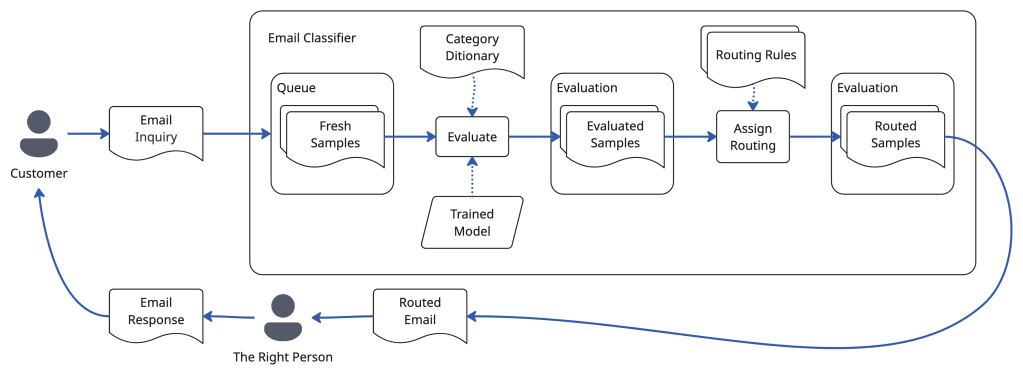
The system frees up the people who did inbox management to focus on other things. Inbox management happens reliably and automatically. It’s transparent: the people receiving and responding do not have to learn any new technology.
Email is forwarded automatically. The right person can send a timely and relevant response, creating a good customer relationship.
Behind the scenes, a steward (or administrator) keeps an eye on the automation: monitoring that classification works, curating the routing rules, and if needed, training the model.
Utility App
To facilitate this, the project offers a utility app that provides performance monitoring, workflow management, rule editing, and training data handling. For the early stage of the project, the app also provides experimentation with different models, running inference, checking performance metrics, correcting results, and keeping track of samples. The utility app interfaces with the inference pipeline, which does the actual classifying of samples by a model.
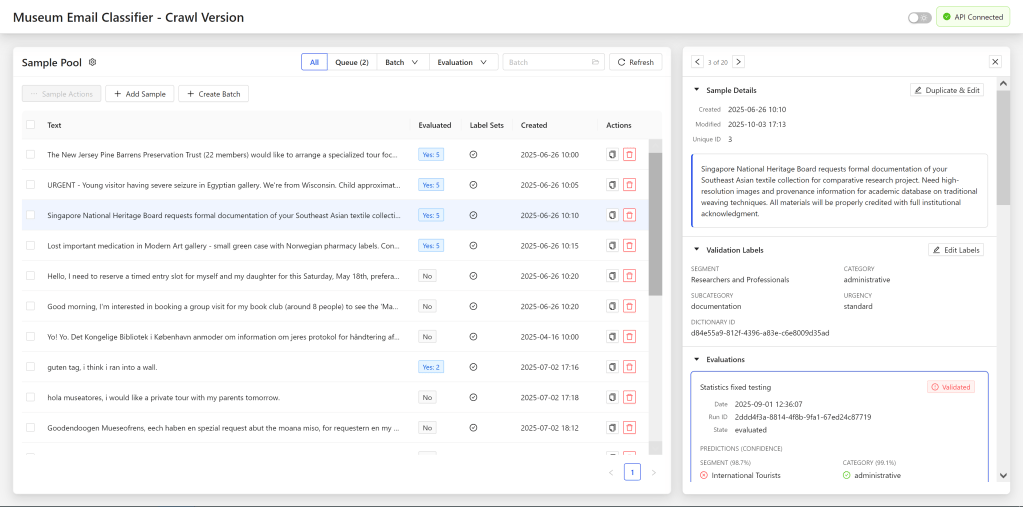
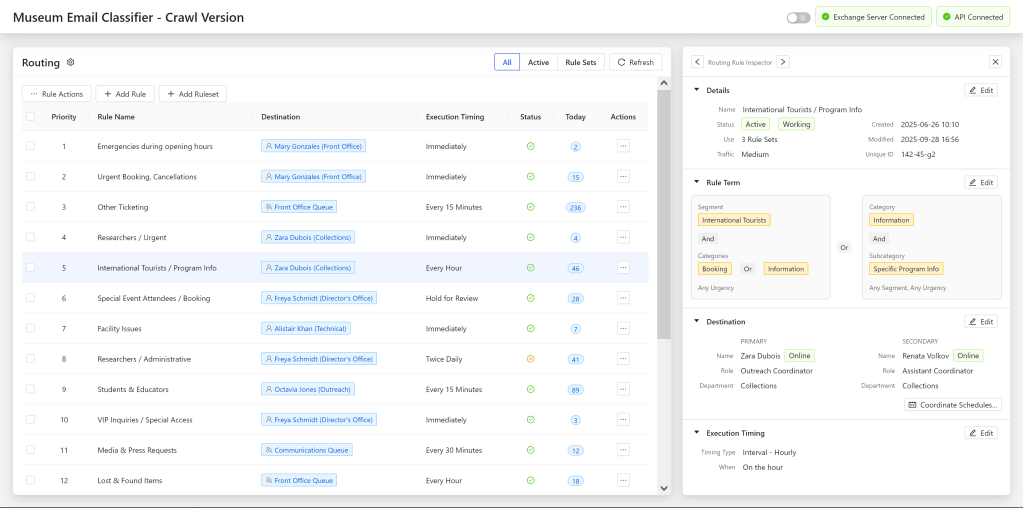
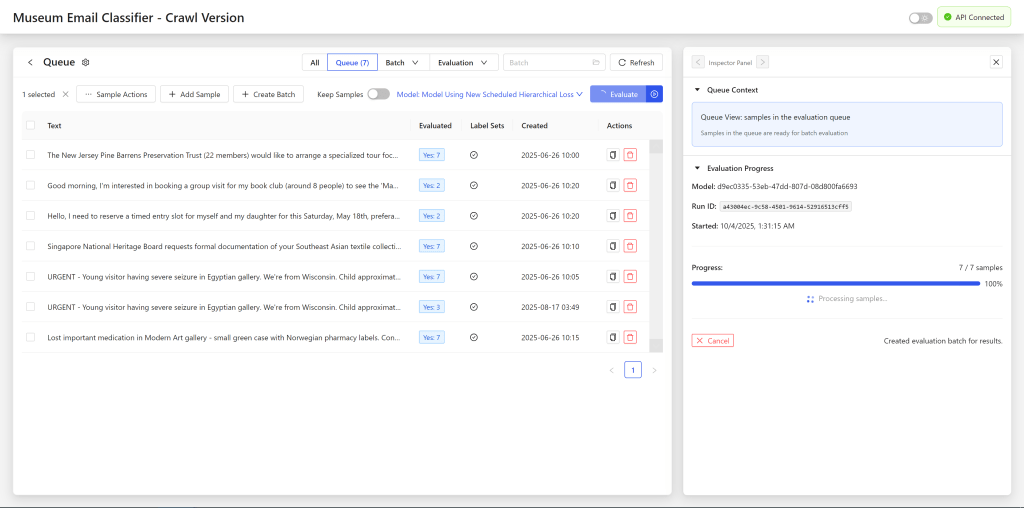
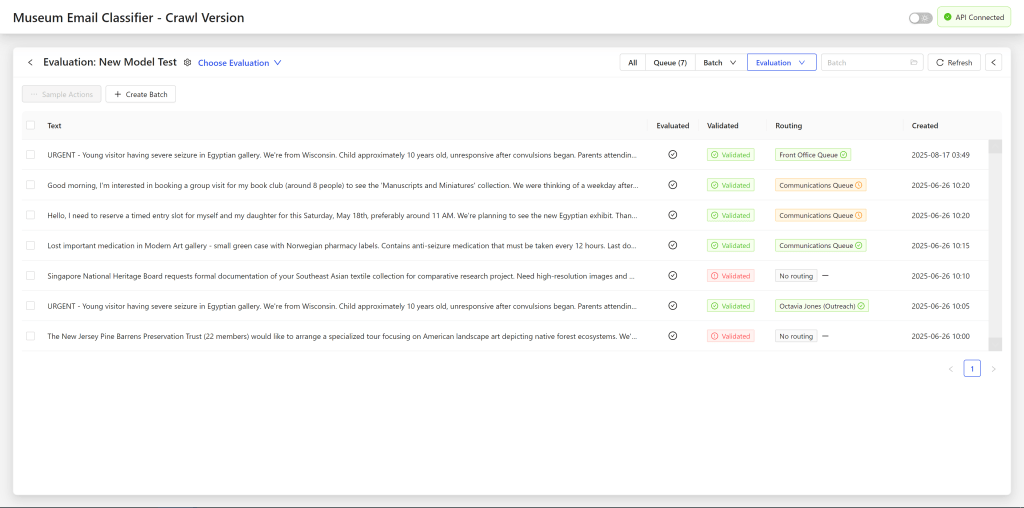
Behind the scenes, a training pipeline is a command line tool to do model training runs, using json files for parameters and visualizations to show training outcomes and model performance, to allow parameter optimization.
Classification Dimensions & Routing Rules
For each email, the model identifies a visitor segment, a category, a subcategory within the category, and an urgency level. Those classification results serve as input to routing rules, which route the email to the right person. The rules are defined manually: no AI decides who the right person its.
If the existing classification dimensions don’t match the needs of an organization, they can be changed, and the model can be retrained on new ones. This could be done, for example, to recognize requests about specific collections.
A trained model gets the classification right very often, but not always. Often enough to be useful, for sure. But language is subjective, so there is room for some error. When an email is classified wrong, a correction can be applied manually. Corrections can be collected over time, and the model can be trained with them to get better.
For what it’s worth: this page is 100% human-written.


 Graf Systems